Online booking guide: hotels & flights, step by step with pictures
Book your hotel and flight to any destination worldwide directly on our site in USD including taxes, with instant confirmation to your email and WhatsApp. This guide shows every step with a real screenshot from the site.
First: booking a hotel step by step
Start on the homepage
At the top of the homepage is a search box with two tabs: Hotels and Flights. The Hotels tab is open by default.
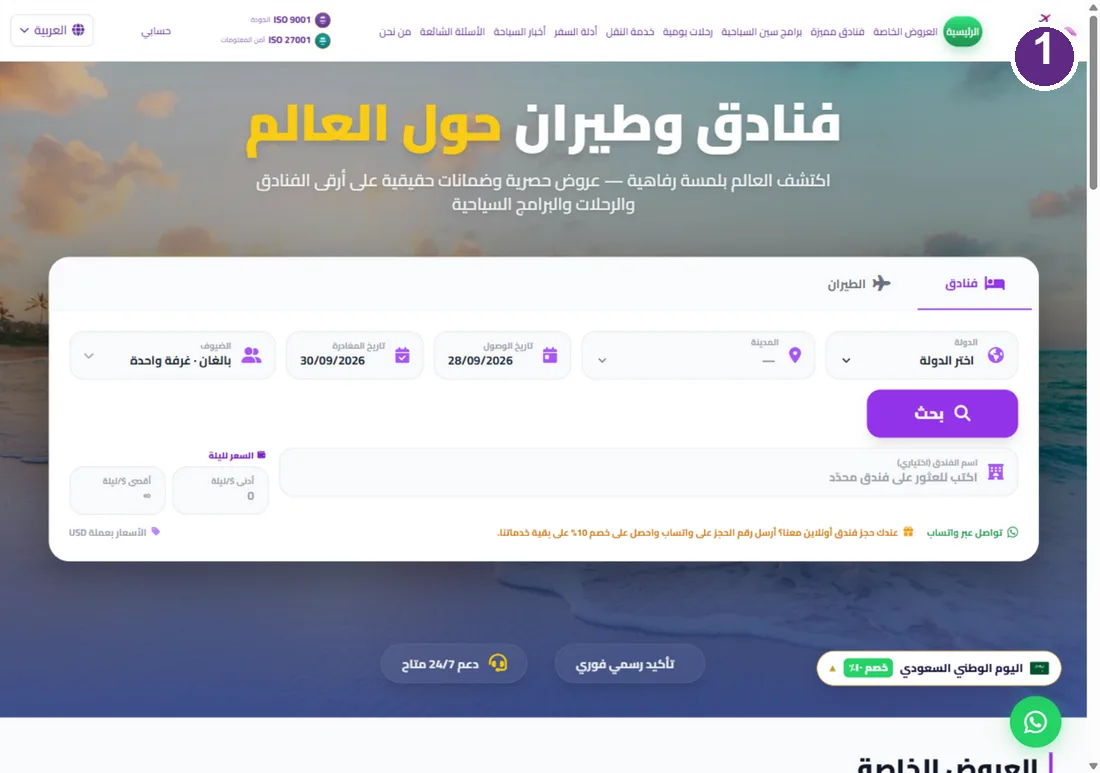
Choose destination and dates
Select the country then the city (e.g. Turkey to Istanbul), set check-in and check-out dates and the number of guests, then press Search.
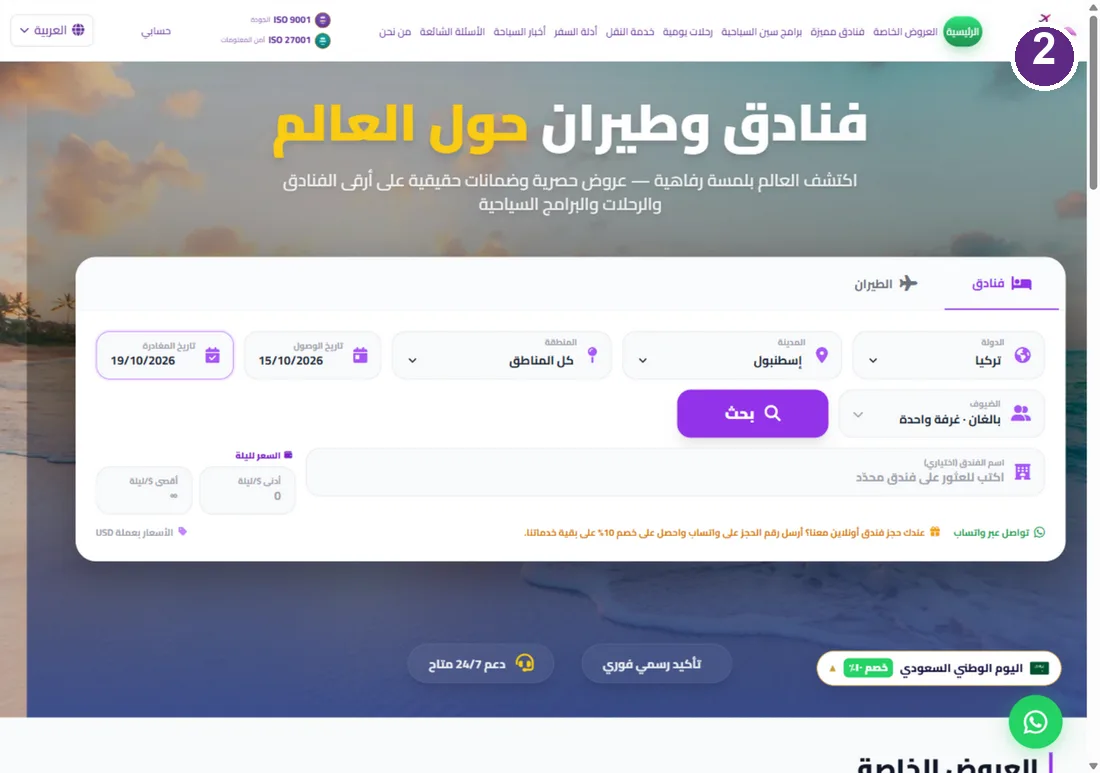
Compare live results
Hotels appear with real prices in USD including taxes and fees. Sort by lowest price or top rating, and filter by the area that suits you.
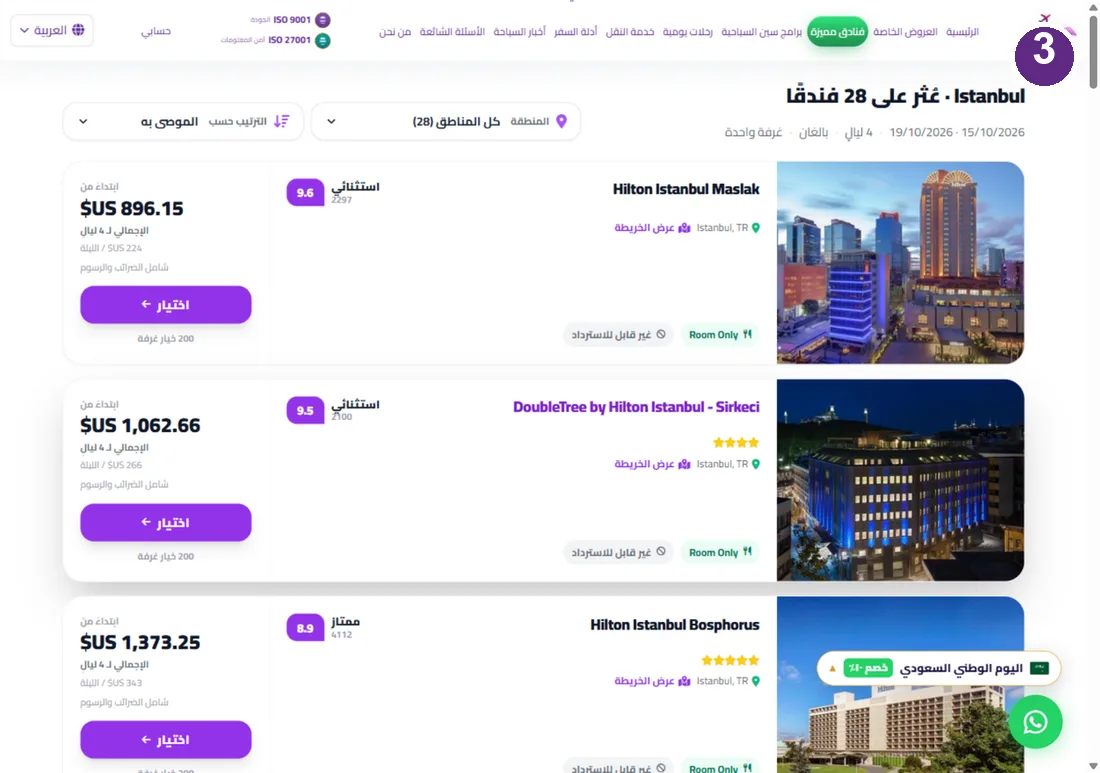
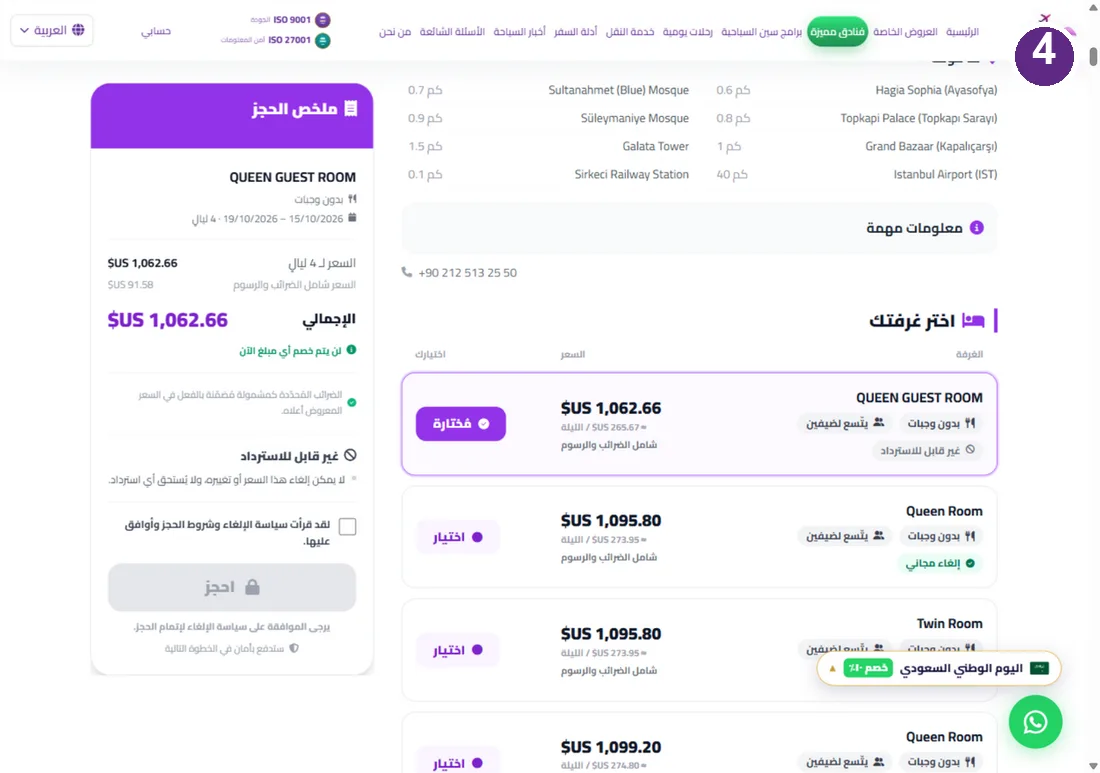
Pick your hotel and room
Open the hotel card, read its details and facilities, then choose your room under Choose your room — note the cancellation policy (free cancellation or non-refundable). Accept the policy and press Book.
Enter details and pay securely
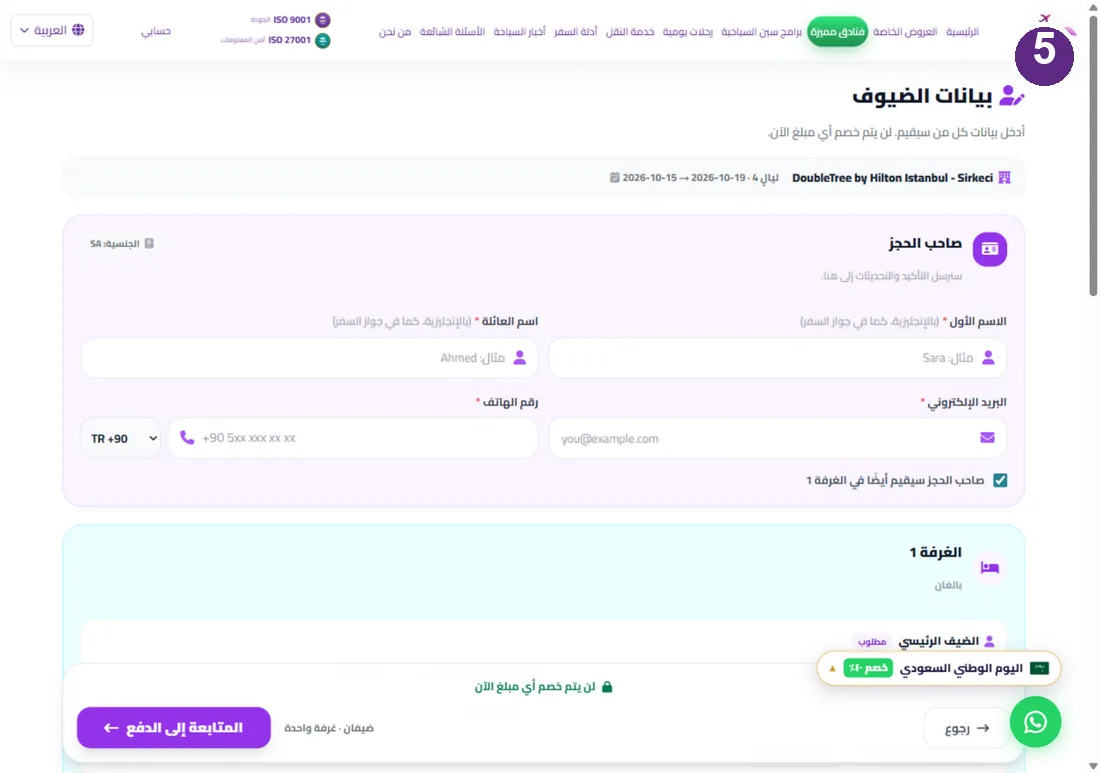
Type guest names in English exactly as in the passport, with your email and phone — nothing is charged at this step. Press Continue to payment and pay by card on a secure page to lock the price and room; your confirmation number arrives instantly.
Second: booking a flight step by step
Open the Flights tab
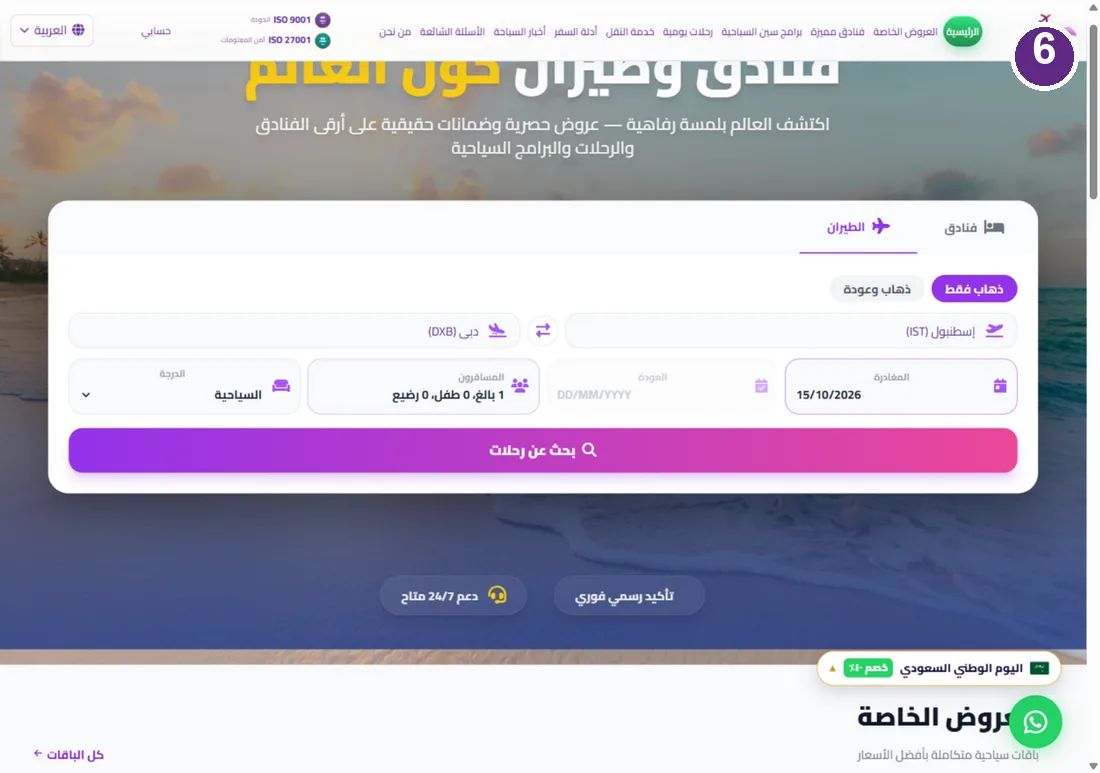
In the same box on the homepage press the Flights tab and choose one-way or round-trip.
Search your flight
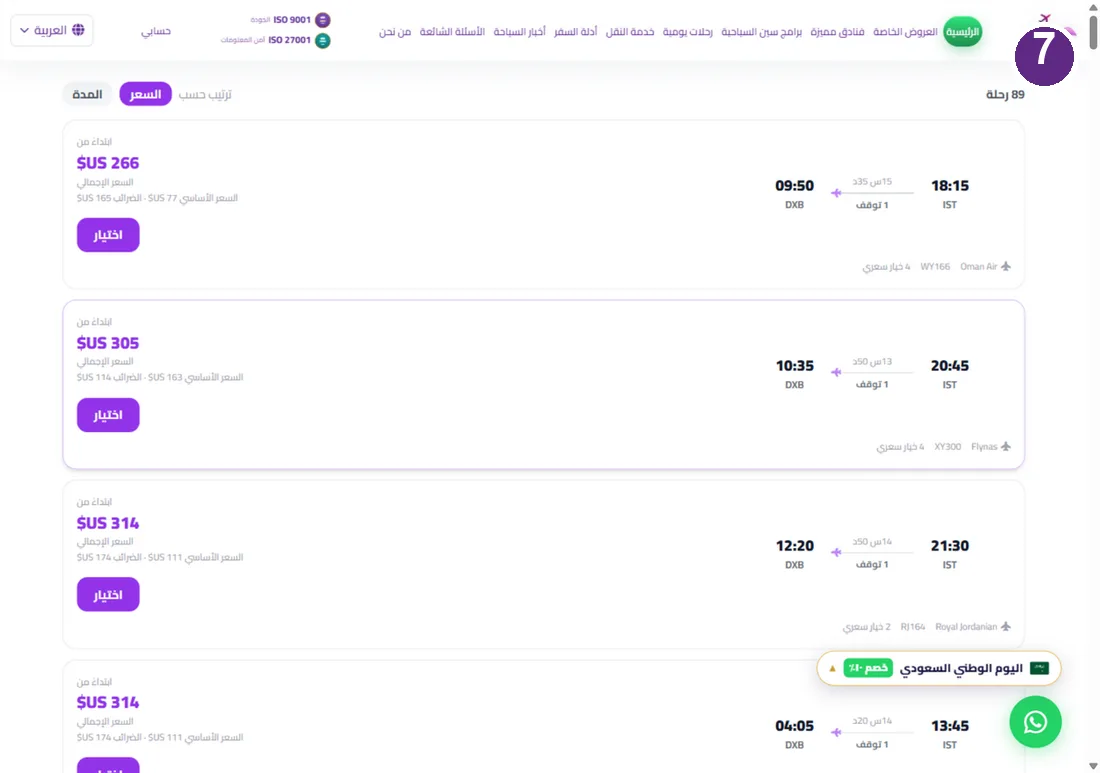
Type the departure and arrival airports (e.g. Istanbul IST to Dubai DXB), the date and passengers, then press Search flights. Flights appear with times and prices; pick yours and complete passenger details and payment with the same secure steps.
Payment & confirmation
Pay by card (Visa, Mastercard, Apple Pay, Google Pay) on a secure payment page with instant confirmation by email and WhatsApp. A licensed Turkish travel agency (TURSAB 11824), ISO 9001 and ISO 27001 certified, with our team on WhatsApp 24/7 in eight languages.
Try booking now from the homepage